Whatdidtheyjustsay?
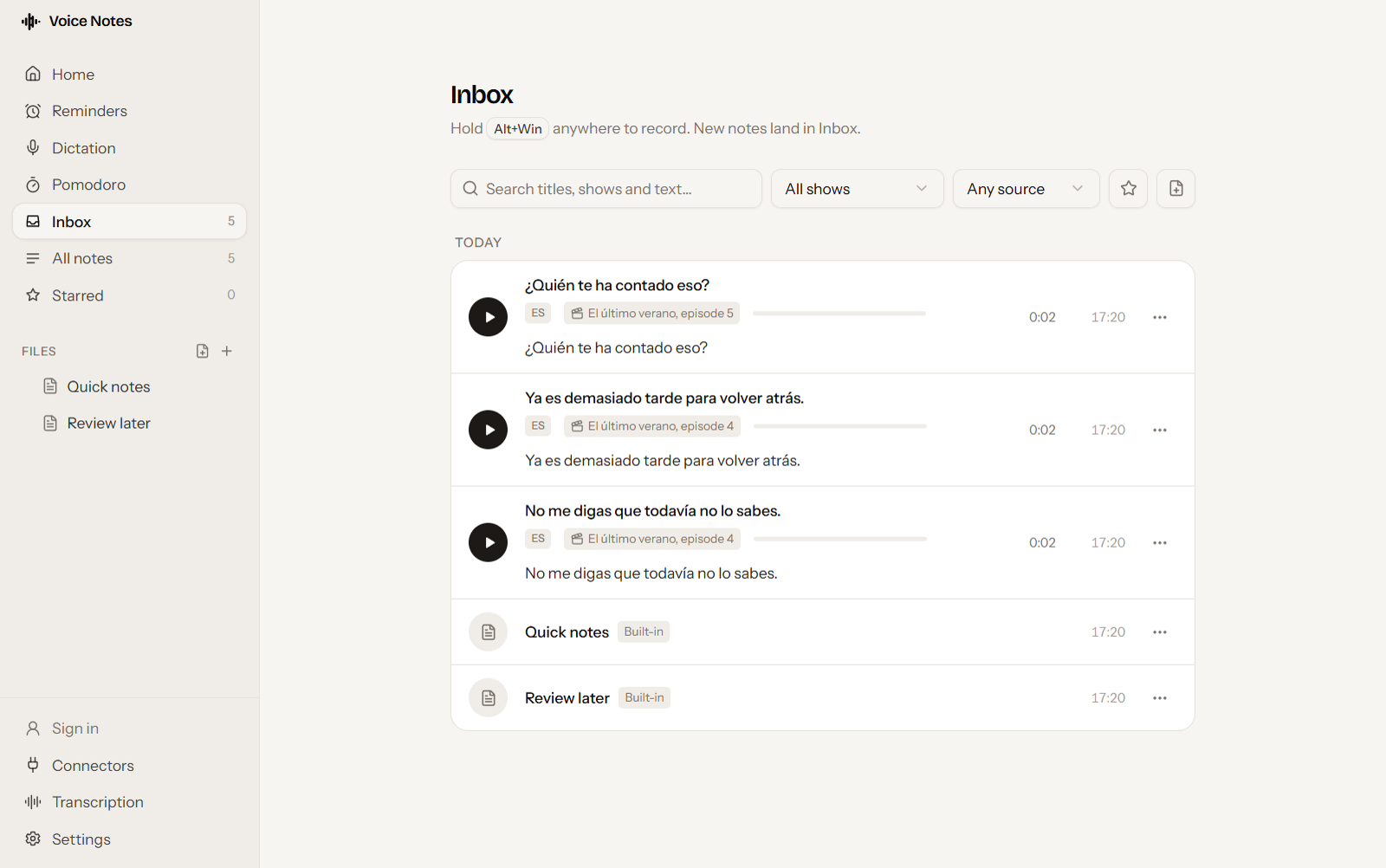
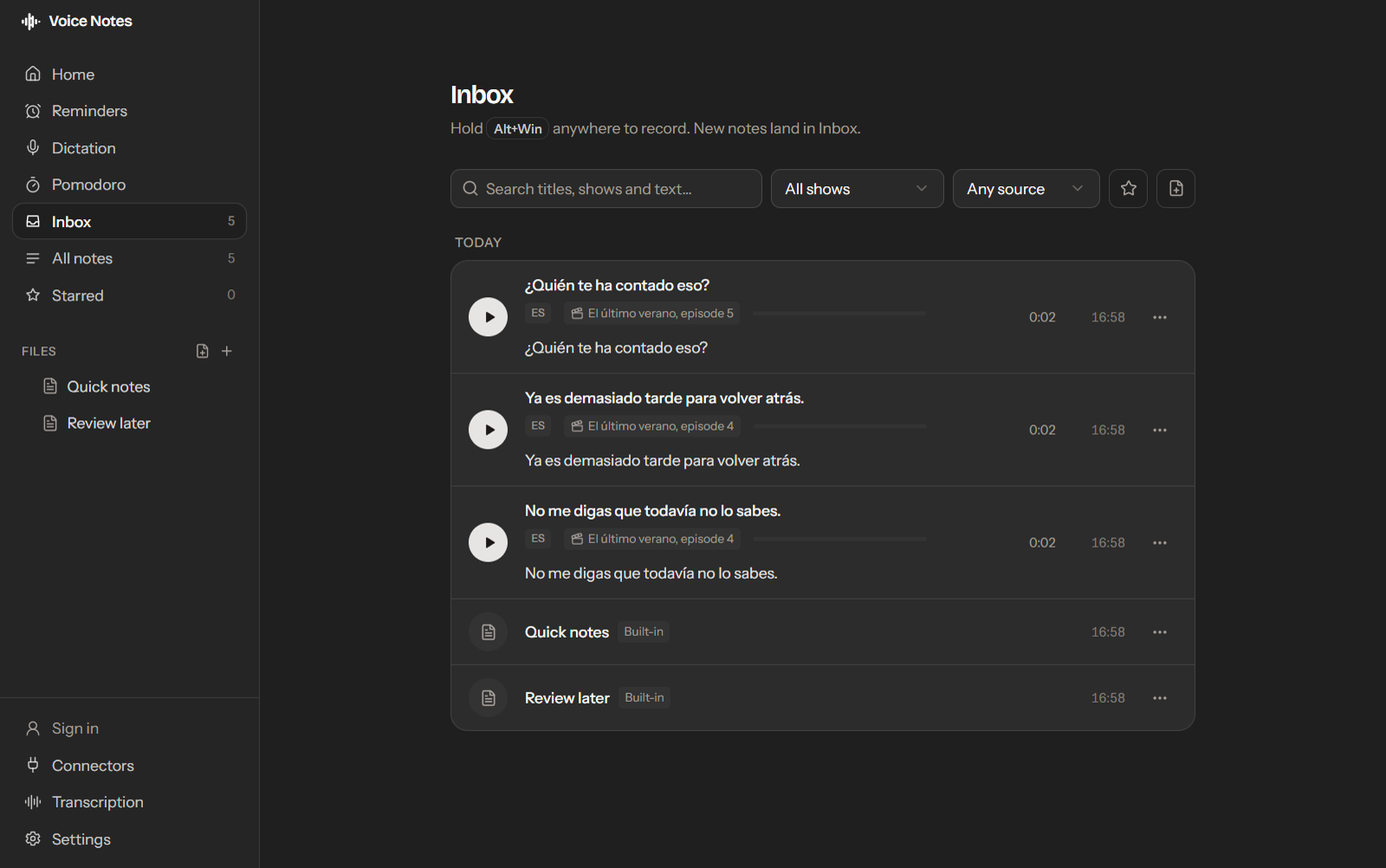
Press one shortcut to save the line you just heard from any show, film or video on your PC. Listen again, and read it as text.
For Windows PCs
Ask Pixie: “Pixie, add oat milk to my shopping list.” Added · oat milk → Shopping list. Sign in, and Pixie puts it on the page you meant.
Save it after you hear it
- 1
Hear a line
Watch as usual with film mode on. It holds your PC's last 60 seconds of sound in memory. Turn it on from the tray or Settings each time you open the app.
- 2
Press Alt+Win+Shift
The moments you just heard become a clip, saved with the name of the show. You don't have to pause or go back.
- 3
Replay and transcribe
Play the clip as many times as you need, then transcribe it to see the words. Transcripts are searchable and you can edit them.
Your own voice works too
AltWin
Say it in your own voice
Hold the keys and speak to save a voice note from any app. Useful for trying out a sentence, or for keeping a word you want to look up.
CtrlWin
Type by talking
Hold the keys and speak, and your words appear as text wherever your cursor is. Use it to write in the language you're learning.
Save what intrigues you
From movie lines to midnight rabbit holes, Voice Notes keeps it all. Drag a link or some text from your browser onto the pill, and it's there when you come back.
YouTube, Reddit and Instagram links each get their own page, and everything else goes to Review later. You can change where each site saves in Settings.
Turn what you hear and find into notes you'll actually revisit
Folders and search
Sort clips into folders by language or show, and search titles, shows and transcripts.
Text pages
Keep word lists and grammar notes in markdown pages next to your clips.
A Home you arrange
Pin the pages you use most, and add to a daily list from a quick-add box.
Sync between PCs
Your notes, pages and audio stay the same on each PC you sign in on.
Three ways to turn a clip into text
- Voice Notes Cloud
- 120 free minutes a month. Sign in with Google and there's nothing to set up.
- Built-in
- Download a speech model and transcribe on your own PC.
- Your own server
- Point the app at any OpenAI-compatible Whisper server you run.
Free to use
- Clips, voice notes, dictation and pages, synced to your account
- Transcribe on your own PC or your own server, with no monthly limit
- 120 Voice Notes Cloud minutes a month
- Sync between your PCs
- Pixie, voice reminders and Google Calendar, within daily limits
Record what moves you. Save what intrigues you. Come back when you're ready.
Voice Notes runs on 64-bit Windows.
For Windows PCs
Windows may show a SmartScreen warning when you open the installer, because it isn't code-signed yet. To continue, click More info, then Run anyway.